
Author name: bipinvalani90@gmail.com

Cleaning and Care Guidelines from Your Jewellery Scale Manufacturer
Uncategorized

Cleaning and Care Guidelines from Your Jewellery Scale Manufacturer

Table of Contents Introduction Your jewellery scale is a precision instrument that deserves proper care and attention. Whether you’re a professional jeweller, a hobbyist, or someone who frequently weighs precious metals and stones, keeping your scale clean and well-maintained ensures accurate readings every single time. In this guide, we’ll walk you through simple, effective ways to care for your jewellery scale so it serves you well for years to come. Why Proper Care Matters for Your Jewellery Scale Think of your jewellery scale as a delicate tool, much like a fine watch. It has sensitive components inside that work together to give you precise measurements down to tiny fractions of a gram. When dust, dirt, or moisture gets into these components, it can throw off your readings and damage the scale over time. Regular cleaning and maintenance aren’t just about keeping your scale looking nice they’re about protecting your investment and ensuring you get accurate weights every time. After all, when you’re dealing with precious metals and gemstones, even a small error in measurement can mean a significant difference in value. Understanding What Makes Jewellery Scales Special Jewellery scales are built differently from kitchen scales or bathroom scales. They contain highly sensitive sensors that can detect weight changes as small as 0.01 grams or even less. These sensors are delicate and can be easily damaged by rough handling, liquid spills, or accumulated debris. The weighing platform, display screen, and internal mechanisms all work together in perfect harmony. When one part gets dirty or damaged, it affects the entire system. That’s why your Jewellery Scale Manufacturer designs these instruments with specific care requirements in mind. Common Problems from Poor Maintenance Without proper care, you might notice several issues: Readings that jump around or seem inconsistent The display showing error messages or dimming Buttons that stick or don’t respond properly The scale taking longer to stabilize on a weight Complete failure to turn on or function Most of these problems can be prevented with simple, regular maintenance. Understanding What Makes Jewellery Scales Special Before Each Use Start by checking your scale’s weighing platform for any dust, fingerprints, or small debris. Even a tiny particle can affect your reading. Use a soft, dry brush or compressed air to gently remove any dust you see. Make sure your scale sits on a completely flat, stable surface away from vibrations. Don’t place it near air conditioning vents, heaters, or windows where temperature changes might affect its performance. Let the scale sit for a few minutes after turning it on this warm-up time helps it calibrate itself and give you the most accurate readings. After Each Use When you’re done weighing items, take a moment to wipe down the weighing platform with a soft, lint-free cloth. Microfiber cloths work wonderfully for this. Remove any fingerprints or residue gently. Always cover your scale when not in use. Many scales come with a protective cover or case use it! This simple step keeps dust, moisture, and accidental spills away from your precision instrument. Store your scale in a dry place where it won’t get bumped or knocked over. What to Avoid Never spray cleaning liquids directly onto your scale. Avoid using harsh chemicals, ammonia-based cleaners, or abrasive materials that could scratch the surface or damage the sensors. Water is your scale’s enemy even small amounts can seep into the electronics and cause serious damage. Don’t place objects heavier than your scale’s maximum capacity on the platform, even for a second. This can permanently damage the internal sensors. Also, avoid pressing down on the platform with your fingers when the scale is on. Weekly and Monthly Cleaning Guide Weekly Cleaning Routine Once a week, give your scale a more thorough cleaning. Start by turning it off and unplugging it if it uses AC power. Remove the weighing platform if it’s detachable many jewellery scales have this feature. Use a slightly dampened (not wet!) cloth to gently wipe the platform. Make sure the cloth is barely moist and immediately dry the platform with a separate dry cloth. Clean the display screen with a soft, dry microfiber cloth using gentle circular motions. For the body of the scale, use a dry brush or compressed air to remove dust from around buttons, the display, and any seams or crevices. Pay special attention to the area around the weighing platform where dust tends to accumulate. Monthly Deep Maintenance Once a month, take time for deeper maintenance. Check your scale’s calibration by using a known calibration weight if you have one. Many Jewellery Scale Manufacturer companies provide calibration weights with their scales or sell them separately. If your readings seem off, recalibrate following your scale’s instruction manual. Inspect the scale carefully for any signs of wear and tear. Look for cracks, loose parts, or anything that seems unusual. Check the battery compartment for corrosion if your scale uses batteries. Replace batteries when the low battery indicator appears, or at least once a year even if the indicator hasn’t shown up yet. This is also a good time to check that your scale is still sitting level. Use a small bubble level to confirm, and adjust the leveling feet if your scale has them. When to Seek Professional Service Even with excellent care, there are times when professional help is needed. Knowing when to contact your Jewellery Scale Manufacturer for support can prevent small problems from becoming big, expensive ones. Signs Your Scale Needs Expert Attention Contact professional service if you notice: Consistently inaccurate readings even after calibration Error messages that won’t clear Physical damage to the weighing platform or display The scale won’t turn on despite fresh batteries or proper power Strange noises or unusual behavior Liquid spill incidents, even if the scale seems to work afterward Don’t try to open your scale or repair internal components yourself. This can void your warranty and potentially cause more damage. Professional technicians have the tools and knowledge to properly diagnose and fix issues. Maintaining Warranty

Display Options and Remote Controls from Your Crane Scale Manufacturer: A Complete Guide
Uncategorized

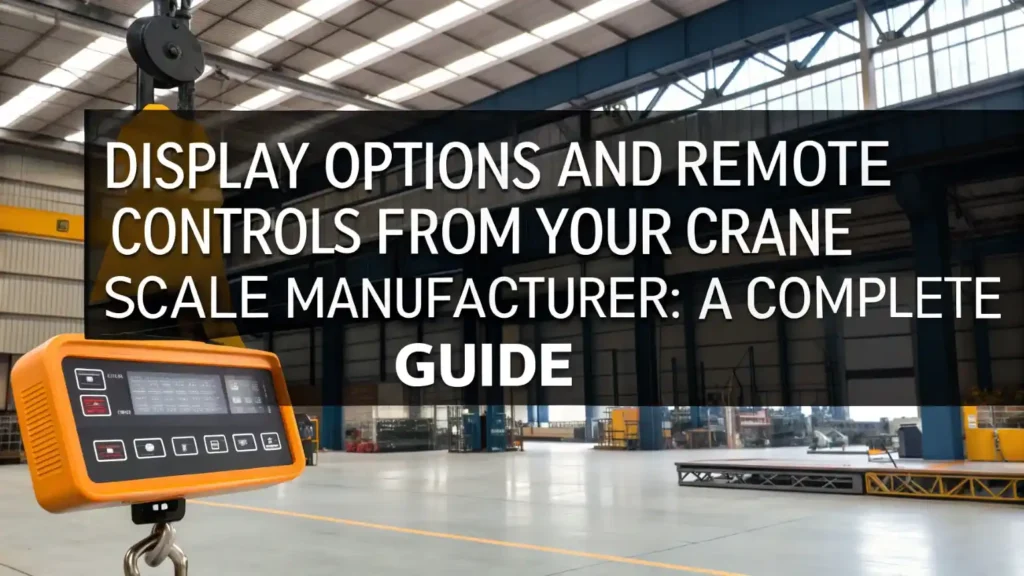
Display Options and Remote Controls from Your Crane Scale Manufacturer: A Complete Guide

Table of Contents Summary In this guide, we’re going to talk about all the different display options and remote controls that a professional crane scale manufacturer offers. Whether you’re running a small shop or a huge warehouse, understanding these options will help you pick the right equipment for your needs. Introduction When you’re working with heavy lifting equipment, knowing exactly how much weight you’re lifting is super important. That’s where crane scales come in handy. But here’s the thing the scale is only as good as its display and remote control. If you can’t see the weight clearly or if you can’t control it easily, your whole operation becomes difficult and even dangerous. What Are Crane Scales and Why Do Displays and Remote Controls Matter? A crane scale is a device that hangs from a crane and measures how heavy something is. Workers need to see this weight information clearly and control the lifting operation safely. This is where the display and remote control become critical parts of your weighing system. Think about it this way: imagine trying to lift something without being able to see how heavy it is, or having to run back and forth to check the weight. That would be exhausting and unsafe. A good display and remote control system from a reliable crane scale manufacturer makes everything smoother, safer, and more efficient. Understanding Different Display Options Your crane scale manufacturer offers several types of displays, each designed for different situations and needs. Let’s break down the main options so you can understand which one works best for you. LED Displays: Simple and Reliable LED displays use light-emitting diodes to show numbers on a screen. Think of them like old digital clocks they’re straightforward and simple. LED displays are bright and easy to read, especially when you’re working outside in sunlight. They use very little power, which means batteries last a long time. The best part about LED displays is their reliability. They’ve been around for decades and they work great in tough conditions. If you just need to see basic weight information without any fancy features, an LED display from your crane scale manufacturer is a solid choice. However, they can only show numbers, not detailed information or warnings. LCD Displays: More Information, Better Features LCD stands for Liquid Crystal Display. These screens are like the ones you see on modern phones and computers. LCD displays can show much more information than LED displays. They can display weight, maximum capacity, overload warnings, and other important details all at the same time. LCD displays are easier to read in different lighting conditions because they’re designed to work indoors and outdoors. They’re also more colorful, which helps operators understand information faster. For example, a warning might flash in red, making it impossible to miss. A crane scale manufacturer that offers LCD displays gives you much more control and information about your lifting operation. Digital Displays with Color Screens: Advanced Technology The newest displays from a modern crane scale manufacturer include full-color screens similar to what you see on tablets. These displays are fantastic because they can show detailed information in a way that’s easy to understand. Colors, graphics, and clear layouts help operators see exactly what’s happening with their load. These advanced displays can connect to computers and phones, store data about past weighings, and send alerts if something goes wrong. They’re best for complex operations where you need detailed information and want to keep records of everything you’ve weighed. Key Features to Look for in Displays No matter which type of display you choose from your crane scale manufacturer, make sure it has these important features: Brightness and Readability: The numbers should be easy to see from a distance and in all lighting conditions. If operators can’t read the weight clearly, accidents can happen. Size Options: Different workplaces need different sized screens. Small displays work great in tight spaces, while large screens are better when operators stand far from the scale. Durability: Your display needs to handle water, dust, and rough handling. Look for displays rated for wet and dusty environments. Long Battery Life: If the display uses batteries, they should last many hours or days without needing replacement. Data Storage: Some displays can remember past weighings, which is helpful for record-keeping and finding patterns. Understanding Remote Controls for Crane Scales Remote controls give operators freedom and safety. Instead of running to the scale to check weight, they can hold the remote control and see information while standing in a safe location. Let’s look at the different types available. Wired Remote Controls: Always Connected Wired remotes connect to the main scale with a cable. They never run out of batteries because they get power through the cable. These remotes are perfect for places where operators don’t move around much and where you need total reliability. The downside is that you’re limited by the cable length, usually around 50-100 feet depending on what the crane scale manufacturer designed. But if reliability is your top priority and you’re not moving around much, a wired remote is an excellent choice. Wireless Remote Controls: Freedom and Flexibility Wireless remotes give operators the ability to move around freely. You can stand in different spots to check the weight from various angles, which helps you ensure the load is balanced and safe. These remotes use radio signals to communicate with the main scale. A good crane scale manufacturer designs wireless remotes with strong signals that work from 30 to 100 feet away, depending on the model. They use batteries that can last for weeks or even months. The freedom they provide makes operations much smoother and safer because operators can see exactly what’s happening from their preferred location. Handheld Pendant Controls: Simple and Compact Handheld pendant controls are small devices that fit in your pocket. They have just the essential buttons usually for lifting, lowering, and stopping. Some include small screens showing weight, while others just have buttons for controlling the

Uncategorized

Touchscreen Interfaces: The Future of Analytical Balance Manufacturer Design

Table of Contents Introduction Precision has always been at the heart of laboratory work. Whether it’s pharmaceutical testing, chemical experiments, academic research, or routine quality checks, laboratories depend on analytical balances to deliver reliable and accurate results every single time. As lab requirements have grown more advanced, the technology behind these instruments has also moved forward. One of the most noticeable changes recently is the shift toward touchscreen interfaces. For an analytical balance manufacturer today, design is no longer just about what’s happening inside the instrument. How users interact with the balance has become equally important. Ease of use, smoother workflows, and digital-friendly operation now play a major role in modern lab environments. Touchscreen interfaces are transforming the way laboratories work with weighing equipment, making daily tasks simpler, faster, and better suited for the future. Understanding Analytical Balances and Their Role in Modern Laboratories Analytical balances are highly sensitive weighing instruments built to measure extremely small weights with a very high level of accuracy. They are widely used in laboratories where even a minor variation in weight can impact test results, regulatory compliance, or the reliability of research work. In such environments, precision is not optional it is essential. In the past, most analytical balances came with physical buttons, basic digital displays, and limited control options. These designs worked well at the time, but laboratory needs have changed. Today’s labs expect quicker operations, smoother data management, and systems that are easy to use without long training sessions. Because of this shift, analytical balance manufacturer teams are rethinking how users interact with their instruments, focusing more on simplicity, clarity, and everyday usability. The Evolution of Design in Analytical Balance Manufacturing Real working conditions have always shaped the design of laboratory equipment. Lab workers often have to meet tight deadlines, handle several samples at once, and follow strict rules for documentation and compliance. Older interface designs, with limited controls and complex button combinations, could slow down daily work and sometimes lead to avoidable mistakes. As technology advanced, manufacturers started adding clearer digital displays, more accurate sensors, and software-based functions to improve performance. From there, touchscreen interfaces became a logical next step. For an analytical balance manufacturer, this change is not just about adding new technology but about creating smarter, more user-friendly designs that support operators in their everyday tasks instead of focusing only on mechanical precision. Why Touchscreen Interfaces Are Gaining Importance Touchscreen technology has already changed the way we use smartphones, medical equipment, and many industrial systems. Its introduction into analytical balances is not about making the equipment look modern but about solving real problems faced in laboratory environments. With a touchscreen interface, users can move through menus quickly, select weighing modes with ease, and read results. There is no need to remember complicated button sequences. Instead, operators are guided by simple, visual on-screen options that make everyday tasks easier. This is especially helpful in laboratories where multiple people use the same balance or where new staff join frequently. For an analytical balance manufacturer, touchscreen interfaces help close the gap between advanced measurement technology and practical day-to-day lab work, making precision tools easier and more comfortable to use. Improving User Experience Through Touchscreen Design User experience has a direct impact on how smoothly a laboratory operates. Touchscreen interfaces are built to make complex weighing tasks easier without affecting accuracy. Simple icons, well-organised menus, and quick-response controls help reduce confusion and allow new users to get comfortable with the equipment in less time. Today’s touchscreen weighing balances can show several important details on one screen, including the weight reading, measurement units, stability indicators, and calibration status. This clear and complete view helps operators understand results at a glance and take the right action immediately. For laboratories that rely on speed, consistency, and accuracy, this kind of clarity naturally improves overall productivity. An experienced analytical balance manufacturer recognises that a better user experience results in fewer operational mistakes, smoother daily workflows, and greater confidence in everyone using the equipment. Touchscreens and Workflow Efficiency in Laboratories Laboratory work often involves repeating the same weighing tasks again and again, where consistency is extremely important. Touchscreen interfaces make these routines easier by allowing operators to quickly choose weighing programs, apply tare functions, or switch measurement units with just a few taps. With fewer steps involved, tasks can be completed faster, saving time across multiple measurements throughout the day. Many touchscreen balances also provide guided workflows, displaying clear, step-by-step instructions directly on the screen. Regulated lab environments particularly benefit from this, as they require accurate adherence to standard procedures every time. By reducing the need to refer to printed manuals or external instructions, touchscreens help labs stay organised and disciplined in their operations. For an analytical balance manufacturer that prioritises efficiency, integrating touchscreen technology is a thoughtful design choice that supports real laboratory needs rather than just an added feature. Enhancing Data Integrity and Trust Through Digital Interfaces Accurate results in a laboratory depend on more than just precise measurements. Today, the recording, storage, and sharing of weighed data holds equal importance. Touchscreen interfaces often make this process easier by supporting digital records, user-specific profiles, and controlled access to data. These capabilities help laboratories maintain clear traceability and accountability in their work. When data is displayed clearly on the screen and saved digitally, there is far less chance of manual entry mistakes or missing information. This not only improves confidence in the results but also makes audits and reviews smoother and less stressful. A manufacturer of analytical balances that prioritises data integrity demonstrates solid technical expertise and a commitment to upholding laboratory standards and compliance requirements. Customization and Flexibility Enabled by Touchscreens One of the key benefits of touchscreen interfaces is the level of customization they offer. Laboratories rarely work in a fixed or uniform way. Different applications often need different weighing modes, screen layouts, and operating methods to match their specific tasks. With touchscreen systems, users can easily adjust settings to suit their requirements. They

Top Weighing Industries' Growing Demand for Advanced Systems in 2026
Uncategorized

Top Weighing Industries’ Growing Demand for Advanced Systems in 2026

Table of Contents Summary This blog explains how modern weighing technology is influencing different industries in 2026 and why its importance continues to grow across multiple sectors. Introduction In 2026, industries around the world are quickly moving toward automation, better accuracy, and data-based decision-making. As production levels increase and quality standards become stricter, even small measurement mistakes can cause material waste, compliance problems, or financial losses. Because of this, Advanced Weighing Systems are no longer viewed as optional tools they have become an essential part of modern industrial operations. Earlier weighing methods were mainly used to show weight readings. Today, industries need much more than that. Modern weighing solutions are expected to work smoothly with automated processes, support quality control, and provide real-time data that helps improve efficiency. Whether on manufacturing floors, in logistics centers, or within processing units, accurate weighing now plays a key role in making operations smarter and more reliable. What Are Advanced Weighing Systems? Advanced Weighing Systems are modern, technology-based solutions that provide highly accurate measurements while integrating smoothly with automated and digital workflows. Unlike traditional scales, these systems do more than just show weight—they help monitor production, ensure quality, and record data automatically without constant manual input. In practical terms, these industrial weighing solutions use precise sensors, digital load cells, and smart software to collect and process accurate measurements. Many are connected to cloud platforms, ERP systems, or monitoring dashboards, which lets teams track data remotely and respond quickly to any changes in operations. Simply put, these systems don’t just measure weight—they help businesses maintain consistency, ensure traceability, and keep operations under control even in complex workflows. Key Factors Driving Demand for Advanced Weighing Systems The increasing use of Advanced Weighing Systems in 2026 is being driven by several key industry trends. One of the biggest factors is automation. As production lines become more automated, businesses need weighing solutions that can provide accurate measurements without relying on manual input. Regulatory requirements are another major driver. Sectors like food, pharmaceuticals, chemicals, and manufacturing must meet strict quality and safety standards. Accurate weighing ensures compliance and helps maintain proper records for audits and reporting. Cost efficiency also plays a role. Precise measurement reduces material waste, improves overall yield, and supports better resource management. Together, these trends are encouraging industries to adopt smarter, more reliable weighing technologies to stay competitive and efficient. Top Industries with Growing Demand for Advanced Weighing Systems in 2026 1. Manufacturing Industry In manufacturing, accurate weight measurement is critical at every stage from raw materials to final packaging. Reliable weighing helps reduce waste, maintain consistent product quality, and supports automated, lean production processes. As factories adopt smart manufacturing practices, precise weighing plays a key role in improving efficiency and minimizing errors. 2. Food & Beverage Industry For the food and beverage sector, precise weighing ensures consistent taste, quality, and safety. It helps measure ingredients accurately, maintain hygienic production, and ensure correct packaging weights. Reliable weighing also helps businesses comply with food safety regulations and build trust with consumers. 3. Pharmaceutical & Healthcare Industry Pharmaceutical and healthcare production demands extremely high accuracy to guarantee product safety. Weighing systems ensure correct dosage, precise formulation, and traceable batch records. They also help meet strict regulatory standards while minimizing human error through automation. 4. Logistics & Warehousing Logistics and warehousing operations depend on accurate weight data for smooth, efficient handling of goods. Weighing systems help calculate freight costs, optimize load distribution, and improve inventory tracking. In automated warehouses, precise weighing supports faster workflows and reduces handling errors. 5. Agriculture & Agro-Processing In agriculture and agro-processing, weighing systems are used to measure crop yields, manage storage, and ensure accurate packaging. These solutions support smart farming by improving efficiency, reducing post-harvest losses, and helping producers make better data-driven decisions. 6. Mining & Metals Industry Mining and metals industries operate in challenging conditions with heavy loads. Accurate weighing helps manage material flow, ensures safety, and meets compliance requirements. Reliable systems also enhance productivity in large-scale operations. 7. Chemical & Petrochemical Industry In chemical and petrochemical operations, precise weighing is essential for safely handling materials and maintaining correct formulations. Accurate measurements support quality control, regulatory compliance, and safer operations while reducing manual intervention. Role of Automation, IoT & AI in Modern Weighing Systems Automation, IoT, and artificial intelligence are changing the way industrial weighing systems work. Automated weighing reduces manual effort, speeds up production, and ensures more consistent results across the line. IoT connectivity allows weight data to be shared in real time with central systems, giving teams better visibility and faster response to any changes. AI features are also starting to help with predictive maintenance and error detection, allowing businesses to spot potential problems before they affect operations. Together, these technologies make weighing systems smart and proactive, contributing directly to productivity and quality instead of just serving as simple measurement tools. Benefits of Using Advanced Weighing Systems Across Industries The advantages of Advanced Weighing Systems are clear across industries of all types and sizes. They improve accuracy and consistency, which directly enhances product quality. By automating measurements and data recording, these systems also reduce the chance of human error. Other key benefits include easier compliance with industry regulations, more efficient processes, and long-term cost savings through less material waste. When weighing data is connected with digital systems, businesses gain better visibility and control over operations, helping them make smarter decisions and plan more effectively. Future Trends in Industrial Weighing Systems Looking past 2026, Advanced Weighing Systems are expected to become even smarter and more connected. Cloud-based monitoring, AI-powered analytics, and tighter integration with enterprise software will become standard features. Sustainability will also shape future developments, as industries look for energy-efficient and long-lasting weighing solutions. As smart factories and data-driven operations expand, intelligent weighing technology will be crucial for supporting growth, scalability, and long-term competitiveness. How Industries Can Choose the Right Weighing System Choosing the right weighing solution starts with understanding your specific operational needs, including load capacity, accuracy requirements, and

How Weighing Scales Help Small Food Businesses Reduce Waste and Control Costs
Uncategorized

How Weighing Scales Help Small Food Businesses Reduce Waste and Control Costs

Table of Contents Introduction Running a small food business today is no easy task. Between rising ingredient prices, fluctuating supply costs, and the growing expectations of customers, every gram and every rupee matters. Yet, one of the most overlooked aspects that quietly eats into your profits is inaccurate weighing and portioning. Every time you over-serve, miscalculate ingredients, or fail to track your stock precisely, your business loses money not in big chunks, but little by little every day. That’s where Weighing Scales come in — a simple yet powerful tool that brings accuracy, consistency, and control to your kitchen operations. With the right digital Weighing Scales, small food businesses can reduce waste, maintain recipe precision, and track inventory with confidence. In today’s competitive food industry, a reliable weighing system isn’t just about measurement — it’s about maximizing profitability and sustaining growth. Hidden Cost of Food Waste Food waste isn’t just an environmental issue it’s a serious financial leak for small businesses. Studies show that restaurants and cafes can lose between 4% to 10% of their total inventory cost simply because of wastage. Think about it: if your monthly food cost is ₹1 lakh, you could be losing ₹4,000–₹10,000 without even realizing it. Most waste happens due to poor measurement habits extra portions, misjudged recipe quantities, or raw materials spoiling because of poor stock tracking. Over time, this doesn’t just impact your bottom line, but also creates inconsistencies in taste and portion size, affecting customer satisfaction. In today’s competitive world, consistency equals credibility and without accurate weighing, it’s nearly impossible to maintain that. Why Accurate Weighing Matters When you measure ingredients precisely, you gain control. Accurate weighing ensures your recipes are consistent, your portion sizes remain stable, and your costs stay predictable. This consistency builds trust with your customers they know exactly what to expect every time they order. Moreover, for small businesses operating with thin margins, even a small 2–3% reduction in wastage can translate into significant annual savings. The principle is simple: “If you can measure it, you can manage it.” Weighing scales bring data, structure, and predictability into what otherwise feels like guesswork. How Weighing Scales Reduce Food Waste Most small kitchens don’t realize how much over-portioning contributes to waste. When you use a scale for portion control, you can ensure every dish is served with the right quantity not too much, not too little. The same applies to preparation: ingredients like flour, oil, cheese, sauces, and meat are often added by “instinct,” which leads to small but frequent errors that add up. Here’s how weighing scales help reduce waste: Maintain consistency in recipe measurements during food prep Prevent over-portioning and unnecessary plate waste Improve stock control and reduce expired or spoiled inventory Allow easy tracking of consumption and reorder points These benefits not only save money but also reduce the workload for kitchen staff, since they no longer have to rely on guesswork. The Cost Control Advantage Waste reduction is just one side of the coin. The real power of weighing scales lies in cost control. When every recipe follows a standardized weight, your food cost percentage becomes stable and predictable. This means you can plan better, forecast your monthly expenses, and identify exactly where losses occur. For example, a small café using digital weighing scales for coffee ingredients found that each cup cost ₹3 less to make simply by standardizing milk and bean quantities. Multiplied over 1,000 cups a month, that’s ₹3,000 saved from just one menu item! In other words, a small investment in weighing tools can pay for itself within months through consistent savings and smoother operations. Efficiency and Time Savings In a busy kitchen, speed matters but speed without accuracy is a recipe for waste. Weighing scales simplify the workflow by eliminating manual estimation. Instead of spending time correcting portions or adjusting flavors, your staff can focus on faster preparation and better presentation. Digital scales with tare functions also let you subtract container weight, allowing chefs to measure ingredients directly in bowls or trays. This reduces clutter, improves hygiene, and minimizes human error. Over time, these small efficiencies compound into smoother kitchen operations and more satisfied customers. Consistency Builds Customer Loyalty Imagine visiting your favorite restaurant and finding that the same dish tastes slightly different each time. That inconsistency, no matter how minor, damages customer trust. Weighing scales ensure that every plate that leaves your kitchen meets the same standard of taste and presentation every single time. Consistency also creates brand credibility. When people know they can rely on your food’s taste and quality, they become repeat customers and ambassadors for your business. For small restaurants and cloud kitchens trying to grow, this kind of trust is priceless. Choosing the Right Weighing Scale for Your Food Business Not all scales are created equal, and the best one for your business depends on your operation type. Kitchen Scales – Ideal for measuring small ingredients like flour, spices, and sauces. Platform Scales – Perfect for large ingredients, sacks, or bulk supplies. Portion Control Scales – Help standardize serving sizes for restaurants, tiffin services, and QSRs. POS-Integrated Scales – Combine weighing with billing for retail food setups or bakeries. When selecting a weighing scale, look for accuracy, digital readability, stainless steel build, tare function, and calibration features. If your budget allows, opt for models that can connect with inventory software giving you live data on consumption and reducing manual tracking Staff Training and Implementation Buying a weighing scale is only the first step; the real transformation happens when your team learns to use it consistently. Make portion control a daily routine, not a one-time rule. Train your kitchen staff to measure before every recipe and create a “portion control checklist” for each menu item. Encourage your staff to view weighing not as extra work but as a quality assurance habit. Over time, this discipline leads to fewer mistakes, faster operations, and a more professional kitchen environment. Real-Life Impact: A Small Bakery’s Big Change Let’s take

Comparison of Load Cell Manufacturers Based on Product Quality
Uncategorized

Comparison of Load Cell Manufacturers Based on Product Quality

Table of Contents Introduction Load cells are compact instruments that are used to measure weight, or force. Load cells can be found inside a variety of products that we use regularly, including electronic scales, industrial machinery, trucks, and medical devices. Load cells transmit the pressure or force into an electrical signal which indicates a specific weight or measure. The quality of the load cell is important because it must remain accurate, reliable, and stable over time. A load cell that is of low quality will provide inaccurate readings, fail sooner, and could lead to catastrophic failures in systems that require accurate measurements. Conversely, a load cell of high quality will provide reliability and longevity and ultimately save time and money. The purpose of this guide is simple: to assist readers in honestly and effortlessly comparing various load cell manufacturers. By grasping the distinguishing characteristics of a good load cell and the types of signs to look for, anyone can make a more informed and confident decision. Why Product Quality Matters in Real-Life Use When a load cell is manufactured to a high standard, everything will run smoothly. For example, a very good load cell in a factory scales will give accurate and consistent readings every day of the week. Workers can trust the numbers, machines operate safely, and products will be consistent. A simple example is a truck weighing system—good load cells can help lessen the chance of overload accidents and avoid fines because the weight is always accurate. Low-quality load cells, however, will make issues arise pretty quickly. The readout can bounce up and down, the weight can change even if there is nothing added, or the load cell may not function during busy times. Cheap load cells tend to lose their accuracy very quickly, are continually damaged, or they need recalibrating. Many real users share similar experiences: A bakery proprietor reported that their scale was repeatedly getting incorrect weights which made uneven batches of product. A warehouse manager had to stop operations because their load cell failed unexpectedly during the busiest hours of the day. A small manufacturer had collections of funds disappear because their load cell was providing lighter weights than the actual load. How Experts Evaluate Load Cell Quality Accuracy Accuracy measures how close the reading of the load cell is to the actual weight. The goal of accuracy is to have consistent readings that are exact and very sensitive to small changes in the load itself. High accuracy matters in all industries—from food inspection to heavy manufacturing—as even small errors can cause wasted materials or unsafe situations. Durability Durability indicates how well the load cell can withstand long-term use. A durable load cell continues to function correctly, even after thousands of load cycles. Durability is especially important to professionals, as it minimizes breakdowns and maintenance costs. Material Strength The type of materials used in a load cell is very important. For a load cell, stronger materials (like stainless steel) helps ensure it can withstand stress, moisture, and corrosion. “Experience teaches engineers that if you have better material, you should have a more reliable load cell that lasts longer.” Temperature Performance Load cells regularly operate in high or low ambient conditions. A quality load cell can produce stable readings across a wide range of temperature changes. Experts measure temperature performance because bad temperature performance can create significant measurement errors. Calibration Stability Calibration stability indicates how well the load cell can maintain its accuracy. A load cell with good calibration stability does not require constant recalibrating. Professionals regard this characteristic as valuable since it saves them time and keeps their measurements accurate. What Sets Leading Load Cell Manufacturers Apart Strong R&D The best companies place a high priority on research and development. This means they are always working to improve their designs, testing new ideas, and creating better load cells each year. Dulce R&D enables greater accuracy, better materials, and longer life. Modern Production Methods Top brands use state-of-the-art equipment and tidy, well organized assembly lines. Modern manufacturing methods decreased errors in production and make sure each load cell is assembled in the same way. This improves quality consistency for users. Certified Quality Testing Good Load Cell Manufacturers follow strict testing standards. They run each load cell through accuracy tests, stress tests, and temperature tests. They also provide certificates that prove the load cell meets industry requirements. This gives buyers confidence that the product is safe and reliable. Long-Term Support A solid company doesn’t vanish after the sale. They provide easy-to-understand manuals, accessible customer service, spare parts, and troubleshooting assistance. Ongoing support is important since load cells are used for a long time and users may need assistance at any given time. Simple Side-by-Side Comparison Checklist Load Cell Accuracy Rating Find out how accurate each load cell is. The higher the rating for accuracy, the more precise and stable the readings will be over time period. This is one of the more important items to compare. Length of Warranty Pay attention to the warranty. A longer warranty will usually indicate that the manufacturer has confidence in the quality and durability of their load cells. Certification and Testing Reports Confirm that the manufacturer offers certifications or testing reports. This documentation indicates that the load cell has been tested to meet important safety, accuracy, and performance checks. Quality of Customer Support Quality of support can be an important factor. Look at how quickly the company responded to inquiries and the quality and clarity of product reference materials or troubleshooting help. Long-Term Reliability Feedback Be sure to look for reviews, or other feedback, from actual customers. Having feedback on long-term use—performance around stability, durability, and accuracy over months, or years—gives a more realistic assessment on the product’s performance in the daily work environment. How to Spot a Poor Load Cell Manufacturer The Absence of Testing Reports If a company fails to produce any testing report or certificates, it is a serious warning. The testing reports verify that the load

Digital Weighing Scale Spare Parts: Components, Signs of Failure & Maintenance Tips
Uncategorized

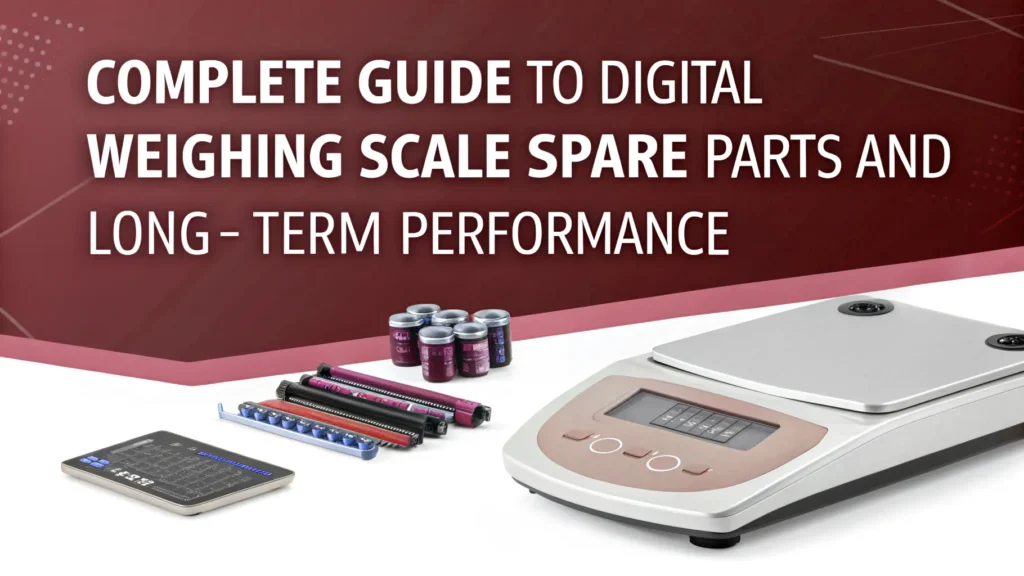
Complete Guide to Digital Weighing Scale Spare Parts and Long-Term Performance

Table of Contents Introduction Digital weighing scales consist of spare parts such as load cells, display screens, keypads, and batteries. Each spare part is instrumental in providing consistent and precise weight measurements. When any component begins to degrade or malfunctions, the machine can display erroneous readings or may entirely cease operations. Timely replacement of damaged components saves the machine from significant reliability and accuracy loss, long-term reliability issues, and costly repairs. The appropriate spare parts optimize the machine’s functioning, and, thus, its longevity, while lowering the total upkeep expenses. Understanding Your Digital Weighing Scale Every digital weighing scale consists of small modules that perform specific functions for weight measurement and display. The load cell is the principal component. It senses the weight and pressure applied to the scale, and transforms it into an electrical signal that is sent to the circuit board, where the signal is processed and converted to a human-readable digit. This digit is projected on the display screen in a decimal format for the user to view the weight. The entire system functions using energy supplied by a battery or power adapter which activates the system. Maintaining modular accuracy, one component, and only one component, can distort results. The accuracy of the performance will assist the user in making informed decisions on weighing scale replacement parts and will result in performance retention. Common Digital Weighing Scale Spare Parts Each digital weighing scale comprises a number of fundamental components working in unison to provide a balanced and precise outcome. The load cell is the core of the scale. It identifies and transforms the weight positioned on the scale container and transforms that weight into an electrical signal. This signal is conveyed to the display panel for convenient viewing. The motherboard or PCB (Printed Circuit Board) is the brain of the scale. It supervises all the internal functions and manages the interaction between the different elements. The keypads or buttons give the operators the authority to execute different functions for example calibration and resetting the scale. The operating batteries and power adaptors guarantee uninterrupted weight measurement functionality. Finally, dam and power distribution consist of platform plates and frames which provide the necessary structure and support to withstand the load without damaging the components of the scale. Signs You Need to Replace Spare Parts Every electronic device, including digital weighing scales, exhibits initial indicators of faults. These can include a flickering display, unresponsive buttons, or discrepancies in measurement. Such concerns mean that one or more of the scale’s fundamental parts the load cell, display, or circuit panel may be degrading or malfunctioning. Neglecting minor faults results in much larger concerns, including faulty measurement, prolonged downtimes, or complete failure. Predictable malfunctions can be avoided with an appropriate service schedule, which includes replacement of weighing scale parts in accordance with serviceable parts and intervals, to maintain dependable and uninterrupted accurate performance of the scale. How to Choose the Right Weighing Scale Spare Parts Whenever you buy new parts, ensure that they correspond to the brand and model number of your scale. Specifications differ from scale to scale, and you can incur damages, not to mention have your scale give erroneous readings, should you use parts that do not match. For optimum performance and correct functioning, never settle for anything but original parts or manufacturer approved certified aftermarket parts.  Assessing the credibility of the seller, the warranty they offer, and the return policy on the item are indicate the reliability of the item and the vendor. Customer reviews are helpful, and expert advice from a technician is also encouraged. These actions, while small, enable you to purchase the correct spare parts for your scale, knowing that the accuracy you will get is dependable. Where to Buy Digital Weighing Scale Spare Parts Selecting high-quality components is only one step in preserving your equipment; replacing components from quality sources is essential as well. Authorized dealers and online stores specializing in your equipment will likely provide dependable service, as these sources tend to provide genuine products, warranty and support, and installation and usage guidance. When you need to replace components, do not buy from members of lower tiers of your industry. Parts from cheap or unknown sources will be counterfeit and may severely damage your equipment or lead to inaccurate outputs. Using genuine components will maintain accurate performance and protect your scales long-term. Maintenance Tips for Long-Lasting Performance There are some basic care practices that can help your digital weighing scale last years. Clean the scale and keep it dry; dust and moisture can interfere with the load cell and disrupt the display function. To ensure accurate readings are maintained, regularly calibrate the weighing scale. Prevent overloading the platform, as excess weight can cause irreparable harm to the sensors and frame.   If you keep spare parts, weighing scale spare parts must also be kept in a cool, dry place, away from moisture and direct sunlight. Regular maintenance, as well as safe and dry storage, will help preserve the scale and its components. This will ensure long-lasting precision and reliability. Conclusion To ensure the optimum functioning of your digital weighing scale, proper selection and timely replacement of spare parts is critical. Well-chosen components ensure accurate readings and low risk of unexpected failures, positively influencing the longevity of the machine. All parts, be it the load cell, display, or circuit board, contribute to the seamless functioning of the machine. If you seek authentic weighing scale spare parts and trustworthy, professional services, GJimpex is your strategic partner. Contact GJimpex to obtain spare parts of the necessary quality, dependable technical services, and comprehensive solutions to maintain your weighing equipment in optimal operating condition. Contact Us

Weighing Scale Transformer Maintenance Tips for Long-Term Industrial Use
Uncategorized

Weighing Scale Transformer Maintenance Tips for Long-Term Industrial Use

Table of Contents Introduction Accuracy is the backbone of every industrial weighing system. Whether it’s a pharmaceutical unit weighing tiny components or a logistics hub dealing with tons of goods, even the smallest error can create massive losses. Behind this accuracy lies a critical yet often overlooked component the weighing scale transformer. This transformer ensures that weighing equipment receives stable and reliable power, which is essential for precision. Like any industrial component, it requires regular care to function optimally. Without proper maintenance, transformers can fail, leading to downtime, costly repairs, and inconsistent results. In this blog, we’ll explore what a weighing scale transformer is, the challenges it faces in industrial environments, and the best maintenance practices to ensure long-term, reliable performance. Understanding the Weighing Scale Transformer A weighing scale transformer is a specialized transformer designed to supply consistent voltage and current to weighing scales. Unlike conventional transformers, these are engineered to support sensitive weighing instruments, ensuring power fluctuations don’t affect measurement accuracy. Function: Converts electrical energy to a suitable voltage for weighing equipment. Role: Protects weighing scales from instability in the power supply. Applications Manufacturing – ensures accuracy in batch production. Logistics & Warehousing – guarantees consistent weight checks in high-volume environments. Pharmaceuticals & Food Processing – complies with strict precision standards. In short, without a reliable transformer, even the most advanced weighing system can fail to deliver consistent results. Common Challenges with Weighing Scale Transformers While durable, industrial weighing scale transformers face several challenges: Power FluctuationsSudden surges or drops in voltage can cause overheating or damage sensitive parts of the weighing system. OverheatingContinuous heavy load usage without breaks may lead to overheating, reducing transformer lifespan. Environmental FactorsDust, humidity, and extreme temperatures can affect insulation and wiring. Wear and TearOver time, connectors loosen, insulation weakens, and performance drops. Understanding these challenges is the first step to effective maintenance. Essential Maintenance Tips for Long-Term Use To maximize performance and extend lifespan, industries must adopt a preventive maintenance approach. Here are the most effective tips: 1. Regular Inspection Check wiring, terminals, and insulation regularly. Look for signs of corrosion, burns, or physical damage. 2. Cleaning & Dust Removal Dust accumulation increases heat levels. Use compressed air or soft brushes for safe cleaning. 3. Voltage Monitoring Monitor voltage output frequently. Install monitoring tools to detect early abnormalities. 4. Load Management Avoid overloading the transformer with multiple heavy weighing machines. Distribute load evenly for longer performance. 5. Lubrication & Cooling Keep cooling fans or systems in working order. Ensure proper ventilation around the transformer. 6. Scheduled Servicing Conduct annual servicing with professional technicians. Replace worn-out components before they fail. These practices ensure weighing scale power supply remains stable, reducing the risk of downtime. Best Practices for Industrial Environments Industrial settings are harsh, and transformers require additional safeguards: Surge Protectors: Prevent damage from sudden power spikes. Proper Ventilation: Maintain airflow to avoid overheating. Dust-Proof Enclosures: Protect against humidity and pollutants. Backup Transformers: Keep a secondary transformer ready to avoid downtime in case of failure. By following these, industries ensure consistent operations and reduce repair costs. Case Studies: Maintenance Success Stories Case 1: Garment Manufacturing Unit A factory using multiple weighing systems faced frequent transformer breakdowns. After implementing preventive maintenance and voltage monitoring, downtime dropped by 40%, and production stayed on track. Case 2: Logistics Hub A warehouse handling bulk goods installed surge protectors and improved ventilation around transformers. Result? Zero unplanned shutdowns in two years. Case 3: Hospital Supply Chain During high demand, a medical supplier relied on annual servicing of transformers, ensuring weighing equipment for PPE and surgical supplies worked flawlessly. These examples show how proactive care saves money and improves operational efficiency. Future Outlook: Smarter Transformers in Industrial Weighing The future of weighing scale transformers looks promising, with technology driving smarter solutions: IoT Monitoring: Real-time tracking of voltage and temperature. Predictive Maintenance with AI: Automated alerts before failure. Eco-Friendly Designs: Energy-efficient transformers for sustainable industries. By 2030, smart transformers are expected to dominate industrial weighing systems, making preventive maintenance even more advanced. Conclusion A weighing scale transformer may be a small component within a weighing system, but its impact on accuracy, safety, and performance is significant. Regular maintenance helps preserve precision, minimizes unexpected downtime, and extends the overall life of your weighing equipment. From routine inspections and cleaning to proper load management and protective safeguards, proactive care ensures consistent compliance and dependable operation across industries. For manufacturers, logistics centers, and healthcare facilities, maintaining a reliable weighing scale transformer is essential for operational efficiency and quality control. Partner with us for high-quality transformers and expert support you can trust. Contact GJ Impex today to ensure long-term reliability and performance for your weighing systems. Contact Us

Uncategorized

Role of Load Cell Manufacturers in Smart Weighing Systems

Table of Contents Introduction In today’s fast-moving industrial world, accuracy is more important than ever. Whether it is a factory, warehouse, laboratory, or logistics center, correct weight measurement directly affects production quality, cost control, and safety. This is why many industries are now shifting from old manual weighing to modern smart weighing systems. These systems give fast, accurate, and digital weight data that can be stored, tracked, and analyzed. Behind every reliable smart weighing system, there is one key player that makes everything possible Load Cell Manufacturers. They design and build the core sensor that measures weight. Without their technical skill and precision engineering, smart weighing systems would not function correctly. Their role is not just limited to making load cells; they also ensure accuracy, reliability, and compatibility with modern automation systems. What Is a Load Cell? A load cell is a small but powerful device that measures weight or force. When any object is placed on a weighing system, the load cell senses the pressure and converts it into an electrical signal. This signal is then shown as weight on the digital display or sent to a computer system. In very simple words, a load cell is the “heart” of any weighing machine. If the load cell is not accurate, the entire weighing system will give wrong readings. That is why the quality of a load cell depends completely on how it is designed and manufactured. This is where experienced Load Cell Manufacturers play a very important role. Who Are Load Cell Manufacturers? Load Cell Manufacturers are companies that design, produce, and test load cells for different industries. They use advanced machines, high-grade raw materials, and strict quality checks to make sure every load cell gives correct and stable readings. Good manufacturers do much more than just production. They also test load cells under different loads, temperatures, and working conditions. They ensure that each unit meets accuracy standards before it reaches the customer. Certified Load Cell Manufacturers also follow international quality standards like ISO, which increases trust and reliability. Choosing the right manufacturer is very important because the life, accuracy, and safety of the weighing system fully depend on the quality of the load cell. What Is a Smart Weighing System? A smart weighing system is an advanced digital weighing setup that not only shows weight but also stores, analyzes, and transfers weight data automatically. These systems are widely used in modern industries where automation and data tracking are essential. A typical smart weighing system includes: Load cell Digital indicator or controller Software or cloud system Data communication modules Smart weighing systems are used in factories, packaging units, labs, warehouses, truck scales, and many other areas where fast and accurate weight data is needed. Key Role of Load Cell Manufacturers in Smart Weighing Systems The success of smart weighing systems depends heavily on the work done by Load Cell Manufacturers. Their role starts from design and continues till long-term performance in the field. First, they design highly accurate load cells that can sense even small changes in weight. These load cells must give stable output so that smart systems can record correct data every time. Manufacturers also ensure that load cells work smoothly with digital indicators, PLC systems, and industrial software. Second, they make load cells that can support automation and IoT systems. In smart factories, weight data is directly transferred to computers and cloud platforms. Load cells must be fully compatible with these modern technologies, which only expert Load Cell Manufacturers can ensure. Third, they make load cells strong enough to handle real industrial conditions like vibration, dust, heat, moisture, and heavy loads. This durability is essential for smart systems to work without failure. How Load Cell Manufacturers Improve Accuracy & Reliability Accuracy is the most important requirement of any weighing system. Load Cell Manufacturers use advanced technology and strict testing methods to ensure high accuracy and long-term reliability. They select high-quality metal alloys for making load cells so that they can maintain shape even under heavy pressure. They use precision machining to achieve exact dimensions. After manufacturing, every load cell is tested under different loads to check correctness. Temperature compensation is also added to reduce errors caused by heat and cold. Calibration is done carefully so that the load cell gives the same accurate output again and again for a long time. Because of these efforts, the smart weighing system remains reliable in daily industrial use. Role of Load Cell Manufacturers in Industry Automation Automation is growing rapidly in almost every industry. Smart weighing systems are a key part of this automation, and load cells are the main sensing element. Load Cell Manufacturers design load cells for automatic filling machines, batching systems, conveyor belts, and robotic processes. In these systems, the load cell continuously sends weight data to the control system, which automatically adjusts the process without human interference. For example, in a packaging plant, the load cell helps the machine fill exact quantity in every packet. In a concrete batching plant, it ensures proper mixing ratios. Without reliable load cells from expert manufacturers, such automation would not be possible. Quality Standards Followed by Load Cell Manufacturers Trusted Load Cell Manufacturers follow strict quality standards to ensure safety and performance. These standards are important to build confidence among buyers and industries. Manufacturers follow ISO quality systems to control every stage of production. Load cells are tested for: Overload capacity Accuracy under repeated use Electrical signal stability Environmental resistance These standards ensure that load cells work safely even under heavy and continuous usage. Certification also proves that the manufacturer is reliable and technically capable. Custom Solutions Provided by Load Cell Manufacturers Not all industries have the same weighing needs. That is why Load Cell Manufacturers also provide custom solutions based on specific applications. They design custom load cells for: Heavy crane scales Tank and silo weighing Hygienic food and pharma environments High-temperature industrial zones Moisture-prone outdoor installations Custom load cells ensure that smart weighing systems perform accurately

S Type Load Cell Guide for Industrial
Uncategorized

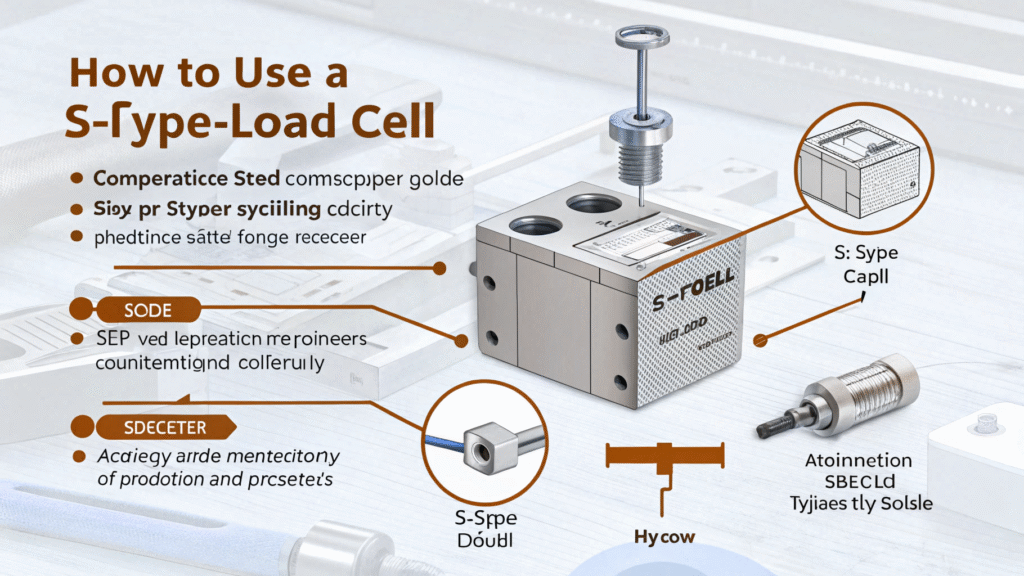
How to Use S Type Load Cell Complete Guide

Table of Contents Introduction Accurate force and weight measurement is essential in today’s industrial landscape, from material testing to process automation. Among many sensor solutions, the s type load cell stands out for its combination of precision, durability, and versatility. This comprehensive guide covers everything needed to understand, install, calibrate, and troubleshoot s type load cells for a wide range of industrial applications. What is an S-type load cell? An s type load cell, also called an s beam load cell, is a force transducer designed to measure both tension and compression with exceptional accuracy. Its characteristic S-shaped metal body uses strain gauge technology to detect minute deformations, generating a reliable output signal proportional to the applied load. Industry professionals prefer s type load cells for their compact dimensions, robust build, and dependable signal quality. Typical units feature IP65 or higher protection ratings, making them suitable for tough industrial and outdoor environments. Applications of S Type Load Cell The versatility of s type load cells makes them a popular choice across multiple industries: Industrial Weighing: Hopper, tank, silo, and batch weighing systems. Material Testing: Accurate tensile and compressive force measurement in R&D and quality control labs. Automation: Used in feedback systems, overload protection, and process machinery. Agriculture and Food Processing: Hanging scales and mixing systems. Healthcare and Automotive: Medical device testing and assembly force measurement. With compatibility for both static and dynamic loads, these load cells are found in nearly every sector that demands reliable weight or force data. The S-type load cell market is advancing with: Digital and Wireless Interfaces: Simplify integration and monitoring via Bluetooth or WiFi. Miniaturization and Higher Capacities: New alloys allow smaller size while boosting rated loads. Smart Automation: Direct integration with IIoT and advanced control systems for predictive maintenance and real-time quality assurance. How to Install an S Type Load Cell Proper installation is crucial for achieving precise measurements. Here’s a step-by-step approach: Mechanical Mounting: Attach the load cell using rod ends, clevises, hooks, or load buttons depending on whether the application measures tension, compression, or both. Placement and Alignment: Ensure axial alignment with the direction of force to prevent side or bending loads that could cause inaccurate readings. Environmental Precautions: Select a location protected from harsh dust, excessive moisture, vibration, and temperature fluctuations. Use models with appropriate IP ratings when necessary. Wiring and Connection: Carefully connect cables to the instrumentation (indicator or DAQ system) according to the wiring diagram, ensuring shielded cables to avoid electrical noise. Calibration and Setup To maintain reliability, every S-type load cell must be calibrated before first use and periodically thereafter: Zeroing: With no load, set the readout to zero to eliminate preloading effects. Span Calibration: Apply known certified weights and set the span, adjusting the indicator until readings match expected values. Verification: Test using incrementally larger weights and verify linearity. Troubleshooting: If calibration fails, check for mounting errors, wiring faults, or load cell damage. Follow all manufacturer guidelines or engage an accredited calibration service for critical systems. Reading and Interpreting Data Modern S-type load cells offer straightforward integration with digital indicators, PLCs, or data acquisition systems: Signal Output: Most provide a millivolt-per-volt (mV/V) or conditioned analog/digital output. Interpreting Results: Configure scaling within your measurement system so output values reflect force or weight directly. Data Logging: For process optimization, connect outputs to a logger or networked automation platform for continuous monitoring. Regularly verify data integrity and seek anomalies that may indicate installation or operational issues. Maintenance and Best Practices Inspection: Routinely inspect load cells for debris, moisture, and wiring damage. Cleaning: Use gentle, non-corrosive cleaning methods; do not immerse or pressure wash. Performance Monitoring: Watch for zero drift, signal noise, or non-linearity. Prevention: Protect load cells from overload, shock impacts, and environmental hazards. Sticking to these best practices ensures a long operational life and consistent measurement accuracy. Choosing the Right S Type Load Cell Consider the following when selecting an s type load cell: Rated Load/Capacity: Choose based on expected maximum force, avoiding undersized or grossly oversized units.   Environment: If exposed to water, chemicals, or dust, pick models with suitable protection (IP68 for harshest settings).   Certification: For legal-for-trade or regulated applications, ensure OIML or NTEP approval. Customization: Some suppliers offer tailored models for specific dimensions, connectors, or integration needs. Troubleshooting Common Issues If readings are erratic or outside expected ranges: Check all mechanical and electrical connections first. Ensure the load cell is not subjected to side or bending forces. Inspect for overloaded or physically damaged elements. Recalibrate if necessary, and consult manufacturer documentation for signal output troubleshooting steps. Future Trends and Innovations The S-type load cell market is advancing with: Digital and Wireless Interfaces: Simplify integration and monitoring via Bluetooth or WiFi. Miniaturization and Higher Capacities: New alloys allow smaller size while boosting rated loads. Smart Automation: Direct integration with IIoT and advanced control systems for predictive maintenance and real-time quality assurance. Conclusion The S-type load cell is a reliable tool for accurate force and weight measurement in any industrial or laboratory setting. With proper installation, calibration, and maintenance, these sensors provide years of dependable service in tension, compression, or both. Ready to upgrade your force measurement system? Explore our portfolio of high-precision S-type load cells and contact our engineers for expert guidance, installation support, and calibration solutions. Achieve accurate, dependable results for your next project today! Contact Us

Scroll to Top