
Table of Contents
Introduction
When people talk about industrial scales, they usually focus on the platform — the big metal surface you stand on or drive a forklift over. But here’s something most people miss: the platform is only half the story.
The real “brain” of any industrial scale is its indicator, display, and controller. These are the components that read the weight, show it to the operator, and decide what to do with that information. Without them, even the most accurate scale platform is useless.
This guide is written for plant managers, procurement teams, and technicians who want a clear, jargon-free explanation of how these components work — and how to choose the right ones for the job.
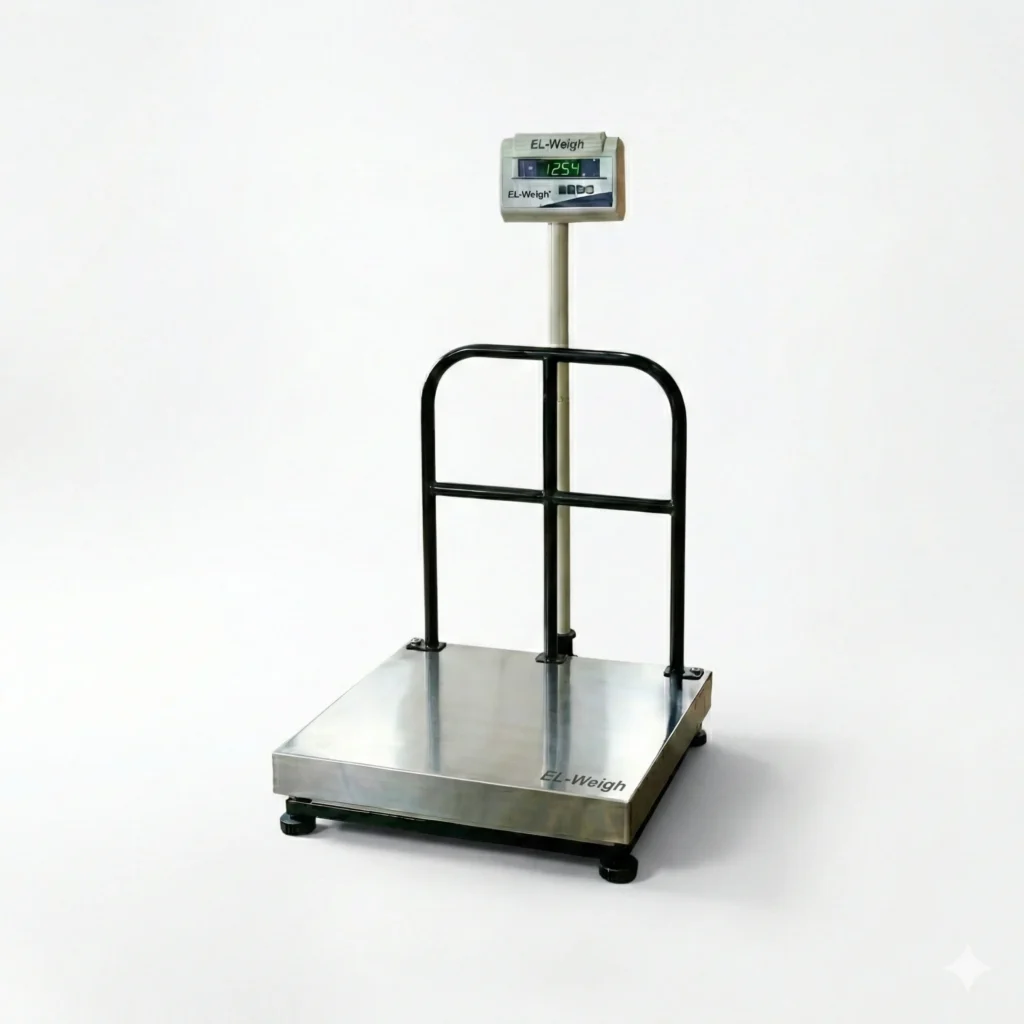
What Are Indicators, Displays & Controllers?
Let’s start simple. Inside every scale, there is a component called a load cell. This is a small sensor that detects how much weight is pressing down on the platform. But the load cell doesn’t show you any numbers — it just sends a tiny electrical signal.
Here’s how the system works:
- The load cell detects the weight and sends a signal.
- The indicator receives that signal and converts it into a number.
- The display shows that number to the operator.
- The controller uses that number to take action — like stopping a fill process or triggering an alarm.
Think of it like a car’s dashboard. The engine (the load cell) does the work. The dashboard (the indicator and display) tells you what’s happening. And the cruise control system (the controller) takes over certain tasks automatically.
In industrial scales, these three components are what separate a simple weighing platform from a precision measurement and process control tool.
Types of Indicators Used in Industrial Scales
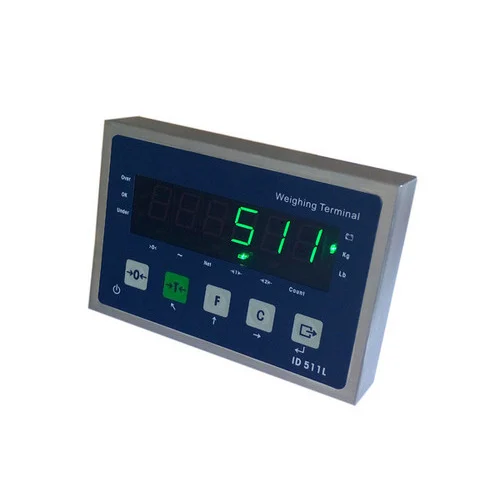
Basic Digital Weight Indicators
These are the most common type. They receive the signal from the load cell, process it, and display a weight reading. They’re reliable, easy to use, and perfect for straightforward tasks like checkweighing or simple inventory management.
Key things to look for: resolution (how precise is the reading?), update speed, and whether the unit has legal-for-trade (NTEP or OIML) certification — required if you’re using the weight for buying or selling purposes.
Advanced Programmable Indicators
Panel-Mount Indicators
Intrinsically Safe Indicators
Types of Displays in Industrial Scales
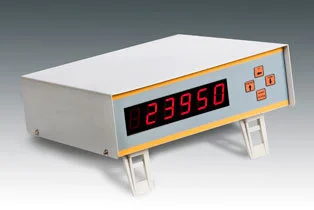
The display is what the operator actually sees. Choosing the wrong type can lead to misreads, errors, and operational headaches. Here’s a breakdown of your options:
- LED Displays — Extremely bright and easy to read in direct sunlight or bright factory lighting. They have a long lifespan and are ideal for outdoor industrial scales or large weighbridge applications.
- LCD Displays — Energy efficient and able to show more detailed information. Better suited for indoor environments with controlled lighting.
- Touchscreen Displays — Growing in popularity because they reduce operator errors and allow for a more intuitive interface. Operators can enter data, select products, or start processes directly on the screen.
- Remote Displays — Mounted separately from the indicator so that readings can be seen from a distance. Common in warehouses where a forklift operator needs to read the scale from across the floor.
When choosing a display, consider: your facility’s lighting conditions, how far away operators will be standing, and the skill level of your team.
Controllers: The Decision-Makers of Industrial Scales
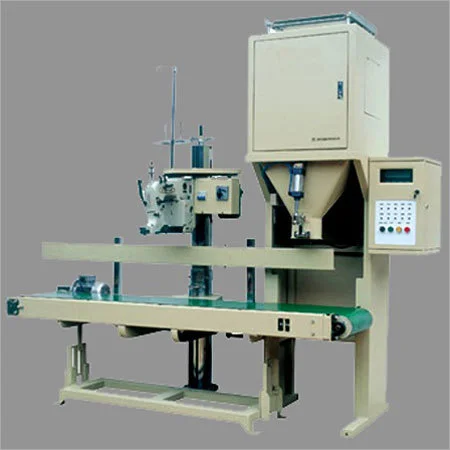
A basic indicator reads and displays weight. A controller does all of that — and then takes action based on what it reads.
For example, a controller can automatically stop a conveyor when a product reaches the correct weight, trigger a valve to stop liquid filling a container, or send an alert when a load exceeds a safe limit. This automation reduces human error and dramatically speeds up production.
Many modern controllers connect to PLCs (Programmable Logic Controllers) — the central computers that manage automated production lines. The scale becomes just one part of a larger automated system. Common communication protocols that make this possible include Modbus, Profibus, Ethernet/IP, and OPC-UA.
Real-world controller examples:
- Automatic bag filling — The controller stops the fill exactly when the target weight is reached.
- Conveyor checkweighing — Products moving along a belt are weighed and automatically sorted into ‘pass’ or ‘fail’ lanes.
- Recipe batching — In food or pharma manufacturing, the controller ensures each ingredient is added in exactly the right amount.
Key Features to Look For When Buying
Before you buy any indicator, display, or controller, run through this checklist:
- Accuracy & Certification — Does the unit meet NTEP or OIML standards if you need legal-for-trade capability?
- IP Rating — This tells you how well the unit is protected against dust and water. IP65 is splash-proof, IP67 can handle brief submersion, and IP69K can withstand high-pressure washdowns — essential for food or dairy environments.
- Connectivity — What ports or protocols does it support? USB, RS-232, Ethernet, or wireless? Make sure it can talk to your existing systems.
- Data Logging — Can it store weight records and export them to your ERP, WMS, or quality system?
- Ease of Calibration — How easy is it to calibrate and service? Poor user interfaces cost you time and money.
- After-Sales Support — A great unit with no local service support is a liability. Always check what warranty, spare parts, and technical support are available.
Industry-Specific Applications
Different industries have very different needs. Here’s how indicators, displays, and controllers are applied across key sectors:
- Food & Beverage — Hygienic displays that can be fully washed down, recipe controllers, and compliance with HACCP food safety standards.
- Pharmaceuticals — GMP-compliant indicators with full audit trails and 21 CFR Part 11 compliance for electronic records.
- Logistics & Warehousing — High-speed indicators for throughput environments, plus barcode scanner integration for seamless goods-in/goods-out tracking.
- Agriculture — Rugged, weather-resistant displays for outdoor use on grain bins, hoppers, and livestock scales.
- Mining & Heavy Industry — Indicators with overload protection and enclosures rated against heavy dust and water in demanding environments.
- Chemical Manufacturing — Intrinsically safe controllers with ATEX-rated enclosures for environments with explosive atmospheres.
Common Mistakes to Avoid
These are the pitfalls we see most often — and they’re all avoidable with a little planning:
- Choosing a display that’s unreadable in your facility’s lighting. Always test visibility before purchasing.
- Ignoring IP ratings. Using an indoor-rated unit outdoors or in a wet area leads to fast failure and costly downtime.
- Buying an indicator that can’t integrate with your software. Always confirm connectivity compatibility before you commit.
- Skipping legal-for-trade certification. If your industrial scales are used in buying or selling transactions, non-certified units can expose you to legal risk.
- Underestimating operator training. Even the best controller is only as good as the person operating it. Budget time and resources for proper training.
How to Choose the Right One: A Step-by-Step Checklist
Use this simple process to find the right indicator, display, or controller for your operation:
- Define your application — What are you weighing? What do you need to do with that data?
- Map your environment — Indoor or outdoor? Wet or dry? Hazardous atmosphere? Hot or cold?
- Identify your integration needs — Will this be a standalone unit or connected to a PLC, ERP, or WMS?
- Set your certification requirements — Do you need legal-for-trade, ATEX, GMP, or 21 CFR Part 11?
- Compare total cost of ownership — Don’t just look at the unit price. Factor in installation, training, calibration, and servicing.
- Ask about after-sales support — Can you get same-day technical help? Are spare parts stocked locally?
Conclusion
Industrial scales are only as good as the indicator, display, and controller behind them. The right combination reduces errors, speeds up production, ensures compliance, and gives your team the data they need to work confidently every day.
The key takeaway? Match your components to your specific application. Don’t over-buy what you don’t need — and don’t under-buy and find yourself stuck later.
At Gjimpex, we’ve helped businesses across industries choose the right indicators, displays, and controllers for their industrial scales — and we’ll help you get it right the first time.
FAQs
A weight indicator reads and displays the weight. A weight controller does all of that plus takes automated action — like stopping a process, triggering a relay, or sending data to another system. Think of the indicator as the eyes, and the controller as both the eyes and the hands.
In most cases, yes. Load cells and indicators are separate components, and as long as the signal type is compatible, you can often upgrade your indicator without replacing the entire scale. Check with a qualified technician to confirm compatibility before purchasing.
It means the indicator has been certified by a recognized standards body (such as NTEP in the US or OIML internationally) and is approved for use in commercial transactions — like selling goods by weight. If you use a non-certified indicator for trade, you could face fines or legal challenges.
Modern indicators and controllers can connect to ERP systems (like SAP or Oracle) via Ethernet, RS-232, or USB ports, using standard protocols like Modbus or OPC-UA. Data such as weight readings, timestamps, and batch records can be automatically pushed to the ERP, eliminating manual data entry.